


Slack update
Fast team status without rewritingAiType v5: faster typing + Rewrite
AiType v5
Speak naturally. Send polished text.
Use voice dictation on Mac and Windows, or the full AI keyboard on iPhone and Android. AiType cleans punctuation, wording, and formatting before you send.
Real AiType demo on iPhone. The same clean-text workflow works on Mac, Windows, and Android.
Plans start at $4.99/mo direct. Ask live AI support.
Fast voice dictation
Works in supported apps and text fields.
Hold the shortcut on desktop or use the mobile keyboard. AiType can create a cleaned draft in supported apps and text fields, typically completing transcription and cleanup in about 250 ms. Timing varies by device, connection, language, and text length. Review before sending. See the Privacy Policy and Data Controls for current data-handling details.
About 250 mstypical transcription and cleanup
$4.99 / $9.99direct monthly plans
4 platformsMac, Windows, iPhone, Android
Supported appsemail, chat, docs, code
Privacy detailsreview current policy and controls
Fast starts at $4.99/mo and Smart at $9.99/mo direct. Review the Privacy Policy and Data Controls for current data-handling details.

One simple workflow across every device.
Speak it. Type it. Send it.
AiType gives Android, iPhone, Mac, and Windows the same simple loop. Start with speech, fast typing, swipe, or copied context. Smarter corrections keep up while you type, and one-tap Reply and Rewrite clean up the result before you send it. That may help people with dyslexia or anyone who prefers voice input and less manual cleanup. Review important text before sending.
How AiType works
From idea to send,
in one pass.
Hold & speak
Tap the green mic. Say it naturally. Typical cleanup takes about 250 ms.
AI cleans it up
Fixes punctuation, capitalisation, grammar, wording, and formatting automatically, while matching your tone.
Paste into supported apps
Use supported text fields in WhatsApp, Gmail, Slack, Notes, and more.
Type at full speed
Smarter corrections keep up with quick taps and glide typing.
Trusted by top performers who need writing that keeps up


Up to 5x faster than typing
Up to 5x faster
At a 75 wpm typing baseline, a spoken draft can be up to 5x faster. AiType typically processes transcription and cleanup in about 250 ms. Actual timing varies by device, connection, and text length.
Typing
75 wpm
AiType
375 wpm
Vibe code with your voice
Speak to Cursor. Queue Codex tasks from your phone.
Dictate straight into Cursor on desktop. For Codex, pair your Mac with your AiType account once, then send structured tasks from the mobile keyboard to that connected worker.
1
Say the change. Describe what you want built, changed, or fixed naturally.
2
AiType structures it. Your voice becomes a clear prompt or a queued Codex task.
3
Send it to the right place. Cursor receives the prompt, or your paired Mac queues the Codex task.
Done
Voice → Cursor prompt
"refactor the auth service to use JWT tokens instead of session cookies and add refresh token rotation"
Refactor the auth service to use JWT tokens instead of session cookies. Add refresh token rotation with a 7-day expiry window.
 Cursor · Completed
Queued
Voice → Codex prompt
"now add rate limiting to the API endpoints use a sliding window and set it to 100 requests per minute per user"
Add rate limiting to all API endpoints. Use a sliding window algorithm, 100 requests per minute per user. Return 429 with retry-after header.
Codex · Queued
Queued
Voice → Slack update
"tell the team auth is done and rate limiting is next should be ready by end of day"
Auth refactor is done — switched to JWT with refresh rotation. Rate limiting is next, should be ready by EOD.
 Slack · Queued
Built for real workflows
Built for the writing people do when work is already moving.
A normal workday
One capture can become three different outputs.
Voice -> cleanup -> send
Email follow-up
Polished message for external contextStructured notes
Turn spoken thinking into a working draftWhere AiType fits best
When your hands are slower than your thoughts.
Fast updatesSlack, Teams, Messages
Polished follow-upsEmail, CRM, support queues
Working draftsDocs, notes, editors, prompts
↓ cleaned
AI Cleanup
AI
Start messy, land polished. AiType helps preserve names, intent, and context. Review before sending.


Mac, Windows, iPhone, and Android
Hold the shortcut on desktop, or use the full AiType keyboard on iPhone and Android for dictation, Reply, AI rewrite, saved clips, and more.
Download appHold the shortcut. Speak.
Active app: Docs
AiType cleans it.
↓
Pasted. Back to work.
Docs
Slack
Email
Cursor
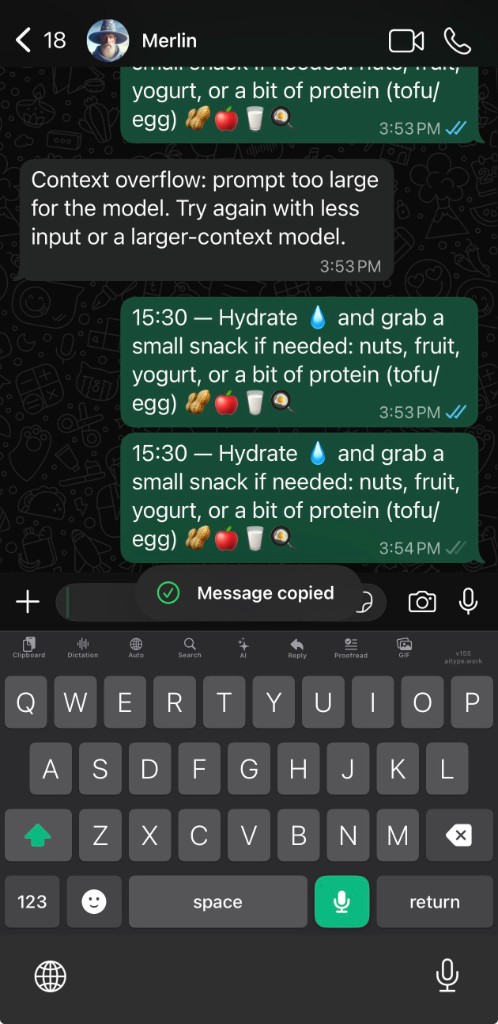
iPhone keyboard
Use the full AiType keyboard directly inside the chat box.
Type at full speed with smarter corrections, swipe across the keys, tap Mic and then tap Stop to dictate, use one-tap Reply and Rewrite, keep saved clipboard and on-device voice history, search contacts, paste GIFs as images, switch languages, and pick emoji, all without leaving the conversation.
Fast typing corrections
Swipe typing
Groq dictation
One-tap Reply
One-tap Rewrite
Saved clipboard
Voice history
Contact search
GIF + emoji
Real iPhone build
Swipe when typing feels faster
Tap Mic, speak, then tap Stop
Reply suggestions from copied messages
Saved clipboard with quick import
Voice history stays saved
Contact search and language menu
GIF search — pastes the image, not a link
Emoji selector built into the toolbar
Verified product workflow
Know what AiType does before you download.
These cards describe current product behavior, platform availability, pricing, and data controls. They are product facts, not invented reviews.
Voice dictation
Speak naturally on desktop or mobile. AiType transcribes and cleans punctuation, wording, capitalization, and formatting so you can review the draft before sending.
AI keyboard
On iPhone and Android, use dictation, swipe typing, Rewrite, Reply, saved clipboard, and voice history from the keyboard.
Desktop helpers
On Mac and Windows, hold the shortcut to dictate into supported apps and text fields.
Typical processing
About 250 mstranscription and cleanup
Actual timing varies by device, connection, language, and text length.
Current availability
Four platformsMac, Windows, iPhone, Android
Choose the installer or store listing for the device you use.
Direct plans
From $4.99/monthFast plan
Smart is $9.99/month direct. Check current plan details before subscribing.

Start talking Start typing
Download AiType on Mac, Windows, iPhone, or Android. Use it where you already work, with billing handled on the platform you signed up on.
Still not sure that AiType is right for you?
Let ChatGPT, Claude, or Perplexity do the thinking for you.
Click a button and see what your favorite AI says about AiType.


Something went wrong during sign-in. Please try again.
